
Provenance
Provenance provides a record of an automated workflow: the stages that ran, the checks recorded, and the evidence available for review.
What your team can review
Inspect the logic
Review a stage’s purpose, inputs, calculations, and checks in plain language.
Follow the evidence
Open recorded reconciliation results and examine the source rows supporting a check. Gaps and manual steps remain visible.
Review the run
See which checks passed, which need attention, and where a manual step remains. Reviewers can examine the evidence behind the status.
Explore the working demo
The walkthrough uses synthetic data for a fictional orthopedic group.
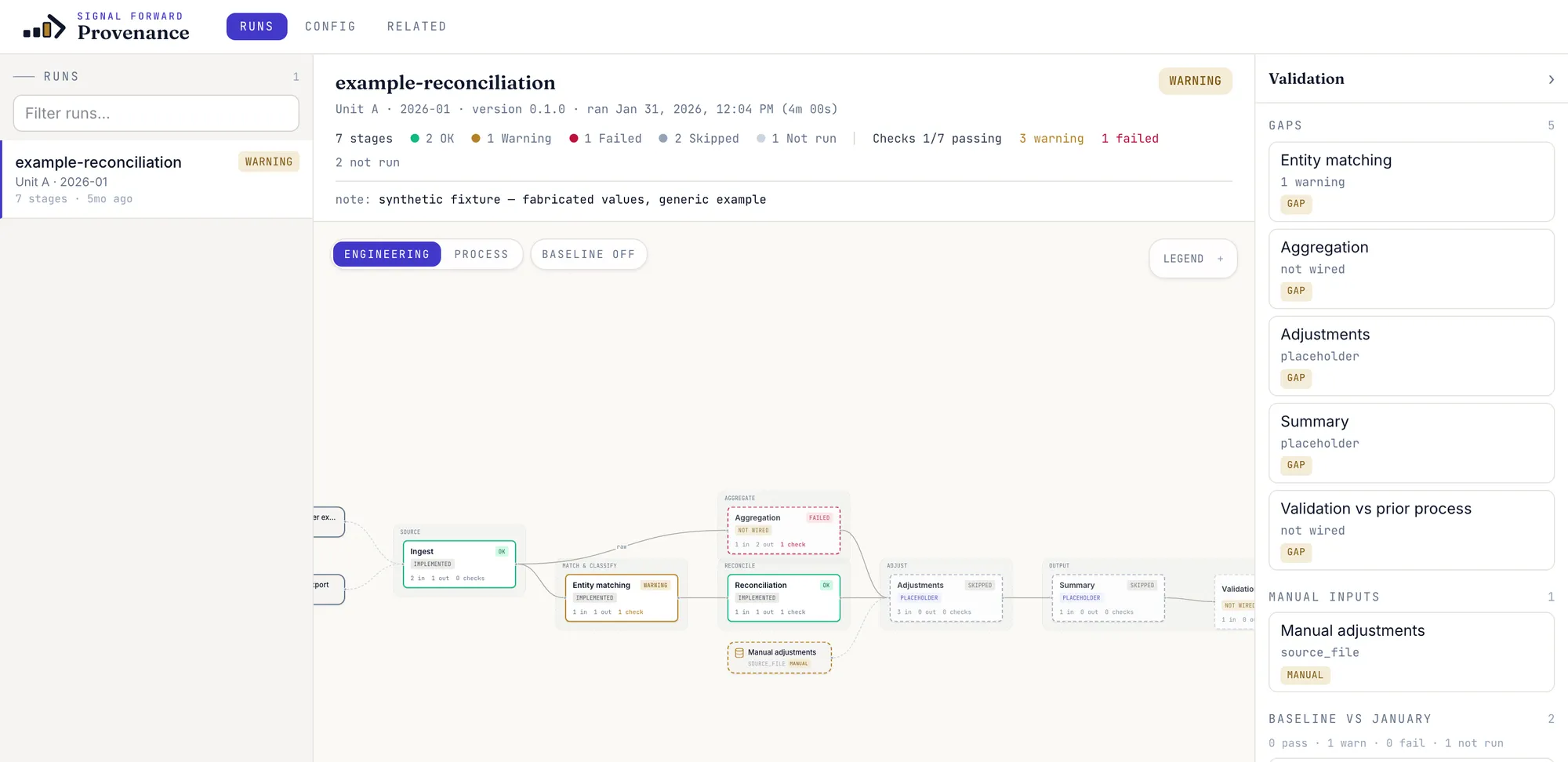
Follow a workflow
The run view brings stages, checks, and outstanding issues together.
 View full-size image (new tab)
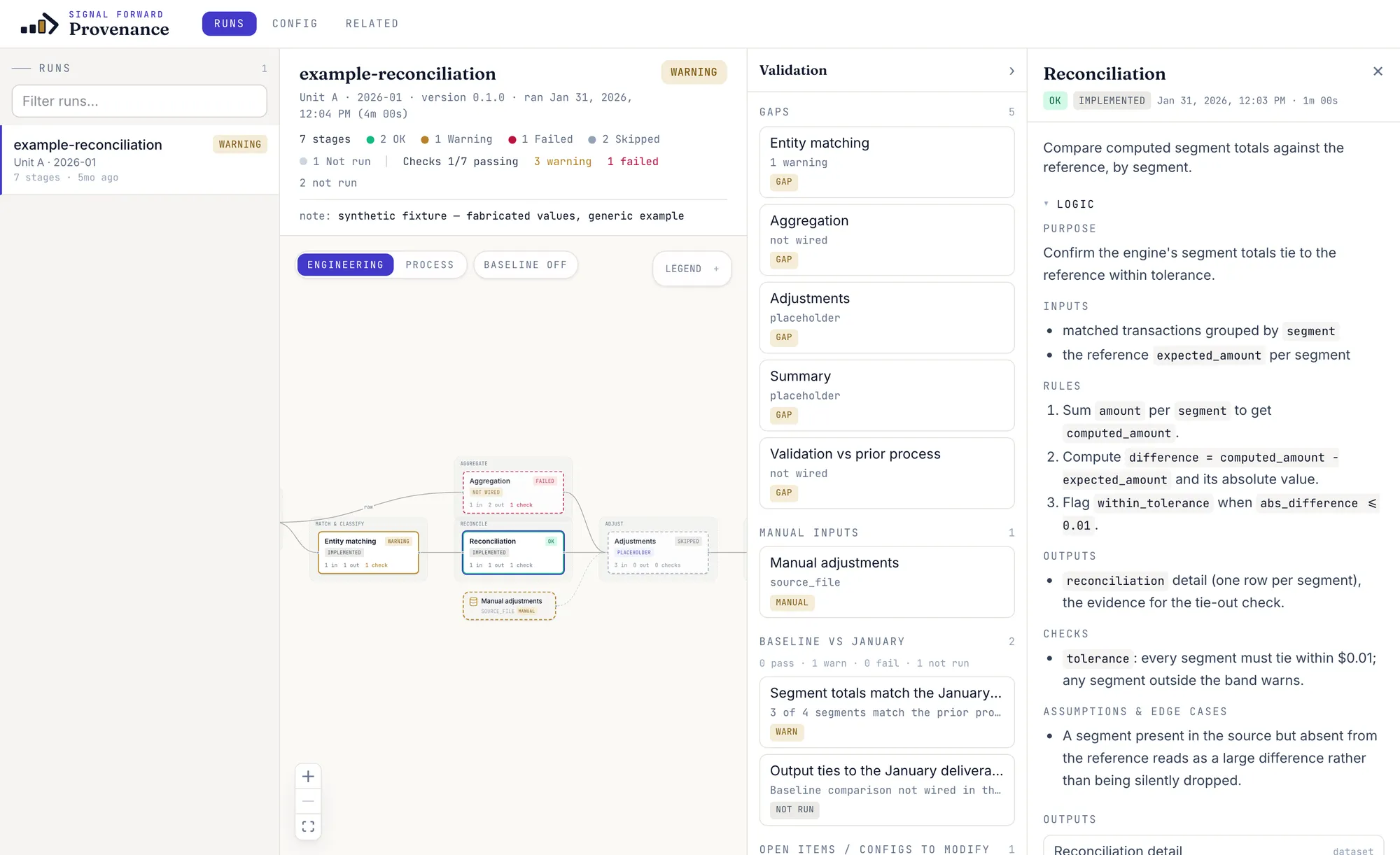
 Inspect a calculation
The stage view explains its inputs, rules, and assumptions.
 View full-size image (new tab)
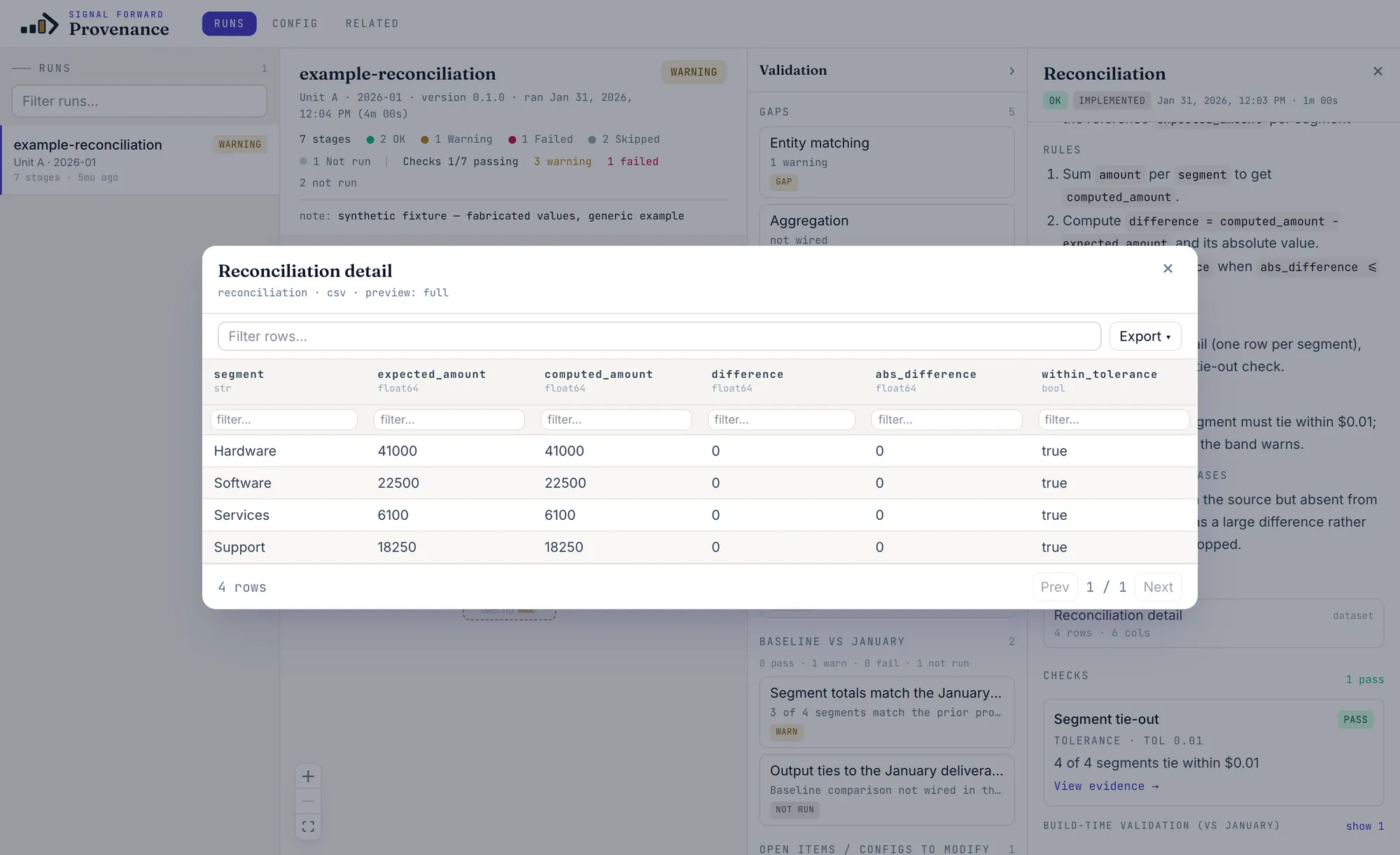
 Review the supporting rows
The evidence table shows the records behind a reconciliation check.
 View full-size image (new tab)
 Built into the work
We connect the review to the workflows your team needs to operate, with agreed data access, checks, documentation, and handoff.
See it in a walkthrough
Bring a calculation or reporting question. We will show how the review works and discuss what would need to be connected for your use case.